
How to register your ID Card to a PaperCut account
1. Go to any printer on campus and scan your ID card.
2. If your card is not already linked to your account, you will see the following prompt “Unknown card. To associate this card with your account, enter your username and password, then tap your ID Card.”
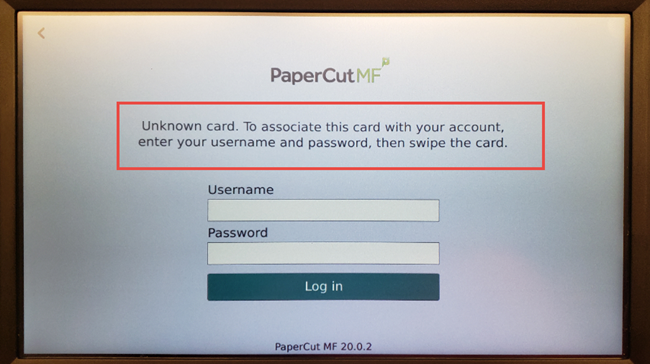
Note: You will be using your Google Account credentials to register your card.
Tap the Username box and an on-screen keyboard will appear. Enter your username (without @cornerstonephiladelphia.com). If your full email address is entered, your card will not register.
4. Tap the Password box and enter your current cornerstone google password.
5. Tap the Log in Button.
6. You should now see a screen confirming that your card has been associated with your user account. Tap OK to complete registration.
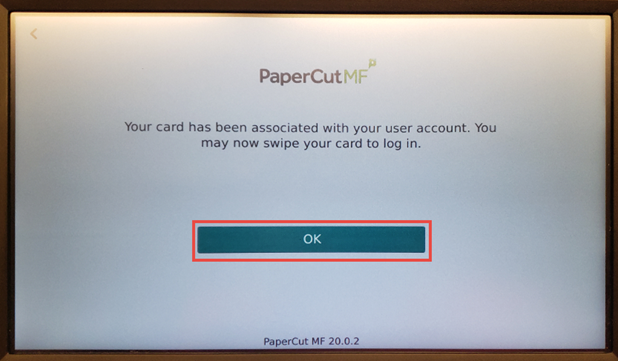
7. Test your ID card by tapping it on the card reader. You should be automatically logged in.
Note: If you do not have your card on you. Please use your Google credentials or ID number to login onto the printers.
No comments to display
No comments to display