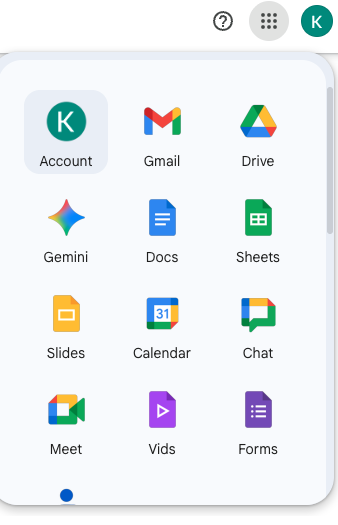
Log into your google account. Once you are logged in go to the top right corner next to your initial(s) and click Account. Note: There are two logos once you sign in with your initial displaying. Click the one on the actual webpage and not the one displaying over top of "All Bookmarks"
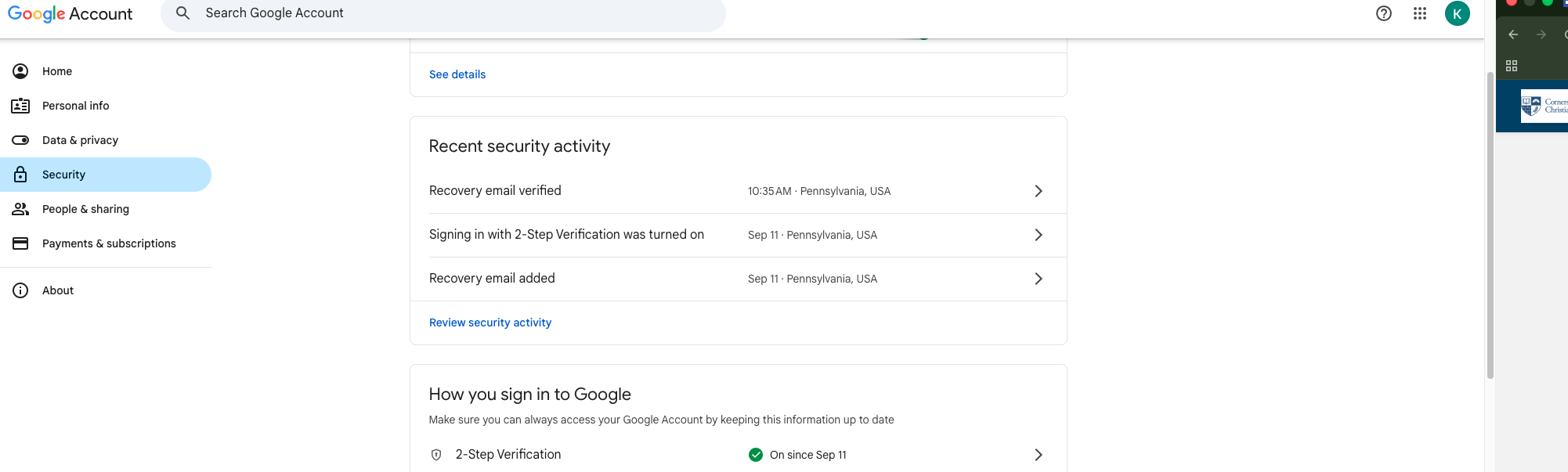
2. Once you are in your account navigate to the menu on the left hand side of the screen and click on Security.
3. Once you are on the Security page scroll down to the bottom. You will see the setup for 2-Step Verification options under How you sign in to Google. Under how you sign in to Google, you have different Options on how you want to setup 2-Step Verification for yourself. You can choose one, or all like it is displayed in the screenshot below. You can also add More Options at the bottom of the screenshot as well if you choose too. For more security on your account. (Exp:Authenticator, BackUp 2-Step Verification, and Backup codes.)
Conclusion: Once you follow the steps after choosing your option(s); your account will then be prompted to use the 2-Step Verification for when you login moving forward.


No comments to display
No comments to display