
Filter Sender to Spam or Delete (Manual Control)
Note: This is for computer devices use only, not mobile devices.
1. Open an email from the sender
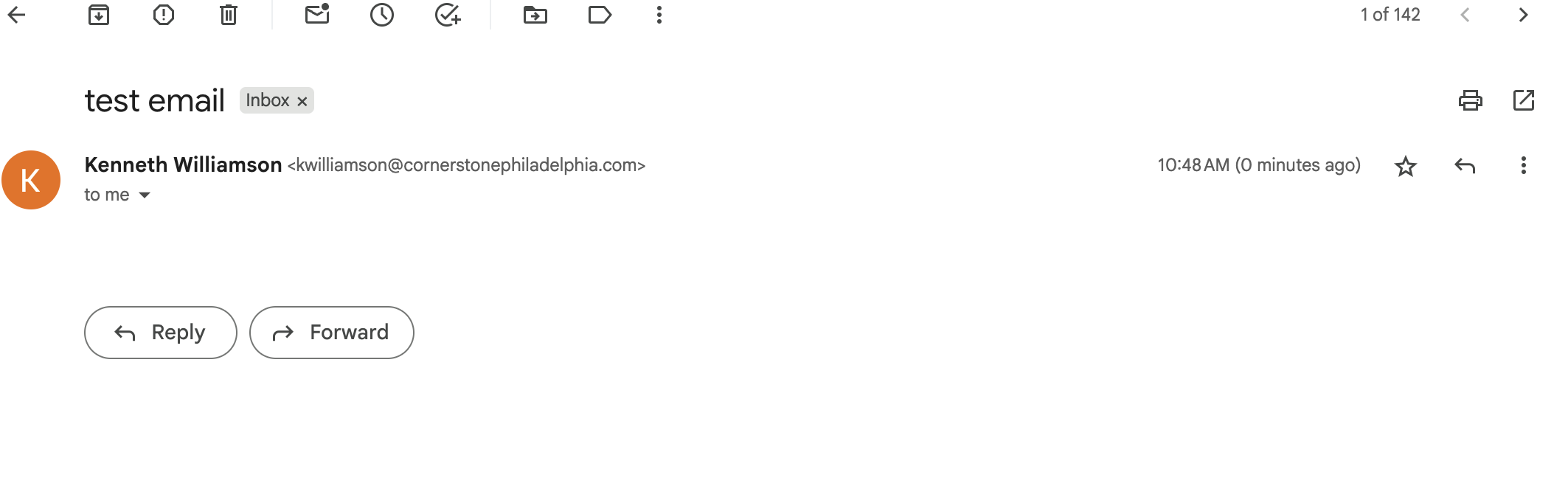
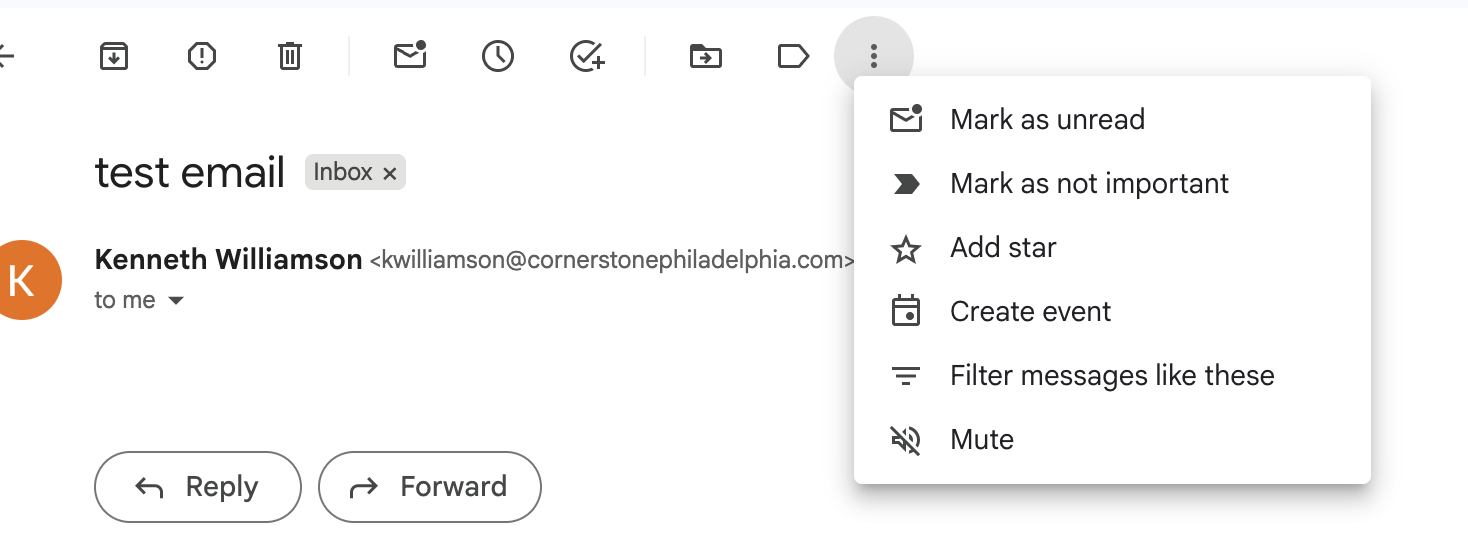
2. Click the 3 dots at the top of email you want to send to spam or trash and select Filter messages like these.
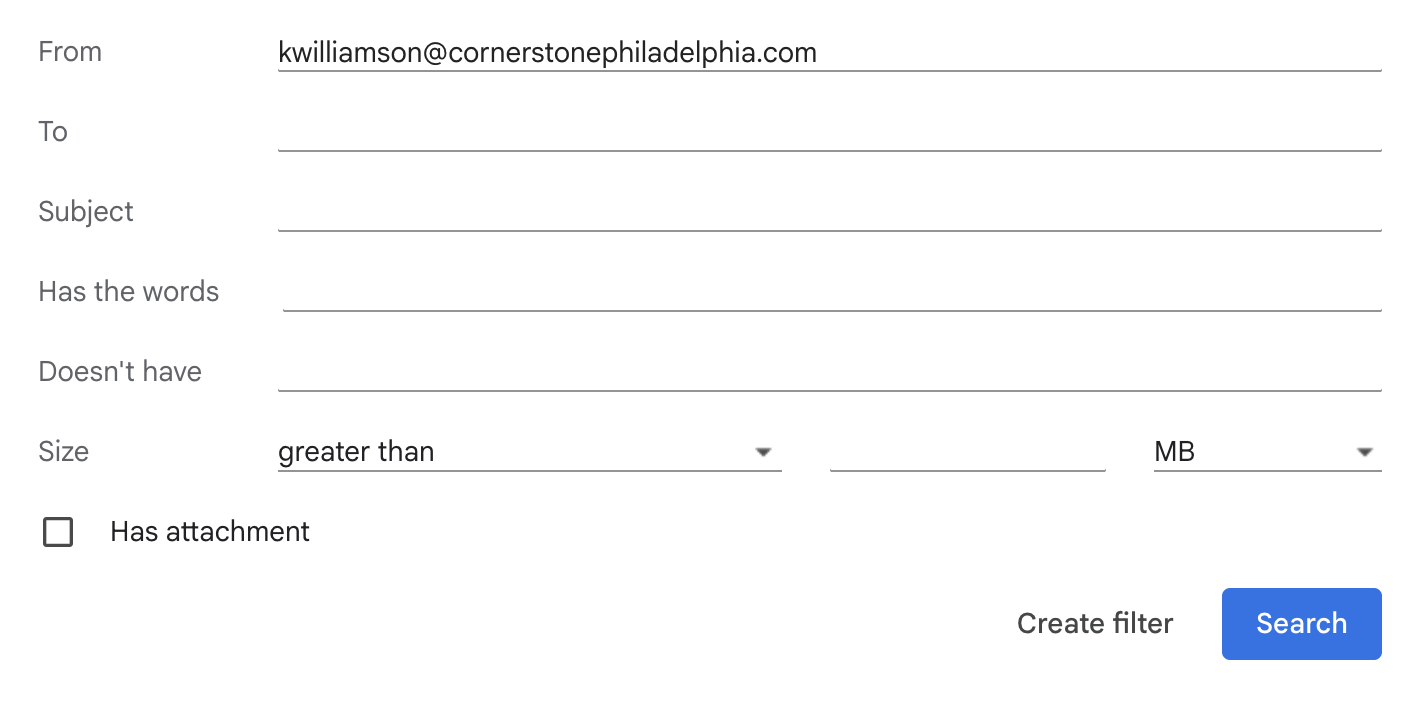
3. Once you are in "filter messages like these." You will see the senders email appear at the top. next click "Create filter."
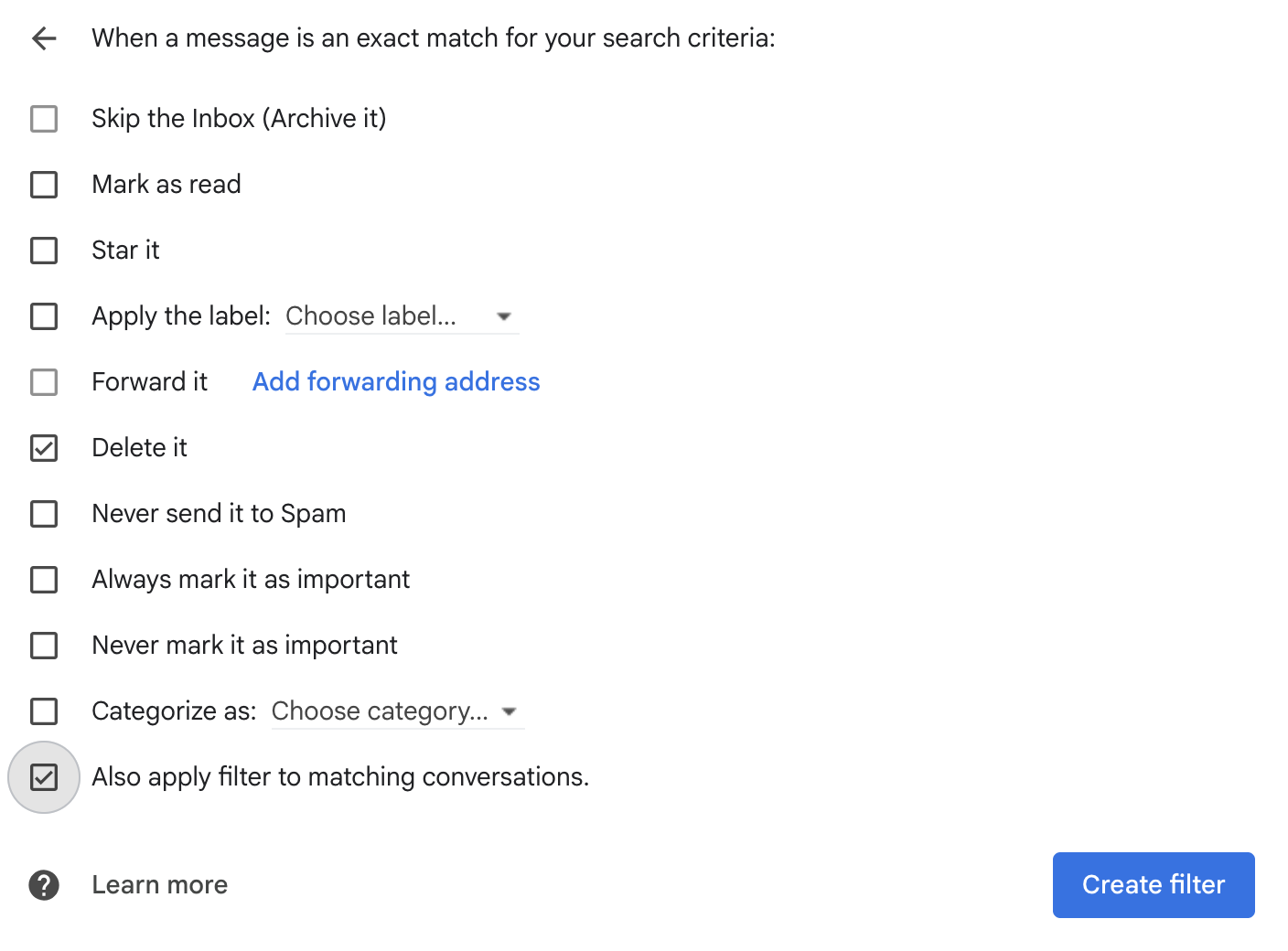
4. In the "Create Filter" section. Select "Delete It" and optional choose if you have received more than one email from the same sender also choose "Also apply filter to matching conversations". Once you select your filter(s) click "Create Filter."
No comments to display
No comments to display